


Most landscaping owners don't have a software problem. They have a stitching problem. You've got a scheduling app that doesn't know what your invoicing tool knows, a property history that lives half in someone's phone and half in a filing cabinet, and a crew lead who keeps a spiral notebook because "the app never has the gate code." Each tool works fine on its own. Together, they leak.
That's the real thing a landscaping tech integration roadmap has to solve. Not "which app is best," but how information moves from the sales call to the truck to the invoice without someone re-typing it three times or losing it entirely. Because when a five-truck operation grows to eight, the cracks between systems don't stay the same size. They widen fast.
This is a systems piece. We're going to walk through how to decide what actually needs to connect, what data fields every property and crew record should carry so nothing breaks when you migrate, and a checklist that keeps your SOPs alive during the switch. The goal isn't a shinier tech stack. It's fewer places for information to fall through.
Why integration breaks down at the exact moment you're growing
Here's the pattern almost every small fleet hits. In the early days, integration is a person. It's you, or your ops manager, holding the whole map in your head. You know that the Hendricks property has a tricky backyard slope, that crew 2 handles the commercial accounts on the east side, that the Fergusons pay net-30 and always dispute the first invoice of spring. None of that is written down in a way a system can actually use. It lives in your memory and gets passed along verbally.
That works until it doesn't. The break usually happens somewhere between the fourth and seventh truck. Suddenly you've got a crew lead who wasn't around last season, a new office admin who's never met the Fergusons, and three tools that each hold a different version of the same customer. The scheduling app says the job is 90 minutes. The property notes — if they exist — say 2 hours because of the slope. The invoice gets built off the schedule, not reality, and you're underbilling by 30 minutes every visit without noticing.
What tends to happen across these transitions is that the failure isn't dramatic. It's quiet. A gate code that never made it from the old system to the new one. A hazard note that existed on paper but got skipped during "data cleanup." A recurring client whose service frequency was entered wrong during migration, so they got billed for weekly but serviced biweekly for two months. Nobody caught it because the systems never talked, and no human had the full picture anymore.
The tools didn't fail. The connections between them did.
Prioritization: what actually needs to connect vs. what's just nice
The instinct when you're mapping integrations is to want everything talking to everything. Resist that. Full integration across every tool is expensive to set up, brittle to maintain, and honestly overkill for a small fleet. The smarter move is figuring out where broken handoffs cost you money or trust, and connecting those first.
Never miss a job detail again.
Yardyly helps you plan, confirm, and manage every landscaping project seamlessly.
- Centralized project scheduling
- Automated client updates
- Crew and resource management
No credit card required
A useful way to think about it: follow a job from lead to paid invoice, and mark every point where information gets handed from one person or tool to another. Those handoff points are where things break. Rank them by what happens when they fail.
Here's a rough framework for sorting must-haves from nice-to-haves:
| Integration | Priority | What breaks without it |
|---|---|---|
| Scheduling ↔ Property records | Must-have | Crews show up without gate codes, hazard info, or accurate time estimates |
| Scheduling ↔ Invoicing | Must-have | You bill off planned time, not actual — margin leaks every visit |
| Property records ↔ Crew field notes | Must-have | Site knowledge stays trapped in one person's head |
| Invoicing ↔ Accounting | Must-have | Double entry, reconciliation errors, cash-flow blind spots |
| CRM/lead intake ↔ Scheduling | Should-have | Manual re-entry of new clients, slower onboarding |
| Route planning ↔ Scheduling | Should-have | Inefficient drive time, but survivable with manual clustering |
| Payroll ↔ Field time tracking | Should-have | Manual timesheet entry, occasional pay disputes |
| Marketing ↔ CRM | Nice-to-have | Missed follow-ups, but not operationally urgent |
| Equipment tracking ↔ Job records | Nice-to-have | Nice for maintenance planning, not day-to-day critical |
The pattern is simple: the must-haves all touch the truck or the money. Anything that determines what a crew does on-site, or what a client gets billed, needs clean connections. Everything else can stay manual for a while without bleeding you.
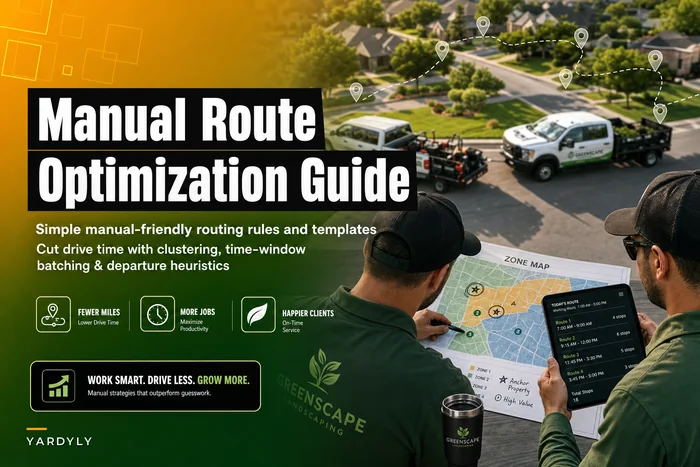
One mistake owners make is treating route optimization as a must-have integration when they haven't even nailed down clean scheduling data yet. If your property records don't have accurate service times and locations, no routing tool will save you — it's optimizing garbage. Get the foundational data right first. If you're still doing routes by hand, that's actually fine at this stage; there's a whole approach to manual route optimization for small fleets that works well before you spend money automating it.
When full integration is a bad idea
If you're running three trucks and everything currently works, don't rip it out to build a connected stack you don't need yet. Integration has a maintenance cost — every connection is something that can break during an app update. A common trap is a small operator spending two weekends wiring up tools that automate a problem they don't actually have. If your ops manager can still hold the map in their head and nothing's leaking, you're not ready. Wait for the pain.
Canonical data fields: the part everyone skips and later regrets
This is the least glamorous section and the most important. Before you migrate anything, you need to decide what a "property record" and a "crew record" actually contain — the canonical fields that every property and every crew must have, formatted the same way, everywhere.
The reason this matters: migrations fail when the source system and the destination system don't agree on what a field even is. One app stores address as a single blob. The next one wants street, city, state, zip in separate fields. One tracks "service frequency" as text ("every 2 weeks"), another wants a structured value (biweekly). If you don't standardize before you move, you'll spend weeks cleaning up mismatches, and some records will just silently break.
Property record — canonical fields
At minimum, every property record should carry:
-
Property ID (a unique code — not the client name, which changes)
-
Full address, split into components
-
Access details
gate codes, lockbox info, "park in the alley" notes, dog on premises
-
Service frequency and service type (structured, not free text)
-
Estimated service time, ideally tied to actual historical time, not a guess
-
Hazards and site conditions
steep slopes, irrigation heads, buried lines, fragile plantings
-
Photo set with dates (before/after references, problem areas)
-
Billing terms
rate, payment terms, deposit rules, dispute history
-
Assigned crew / crew preference
-
Special client notes (the "always call before arriving" stuff)
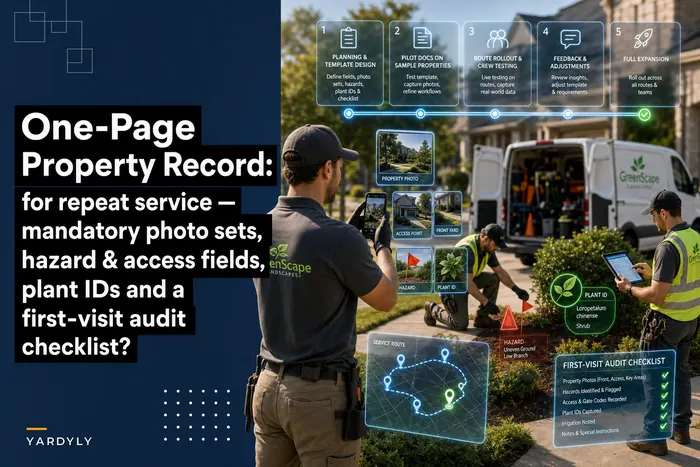
If you already keep a solid one-page property record for repeat service, you're most of the way there — the trick is making sure those fields exist in your software the same way they exist on paper, so nothing gets lost in translation when you migrate.
Crew record — canonical fields
Crew records get overlooked entirely, and then payroll and scheduling both suffer. Each crew record should carry:
-
Crew ID and members
-
Certifications and expirations (pesticide applicator licenses, equipment certs)
-
Skill tags (irrigation, hardscape, tree work — determines who can take which jobs)
-
Assigned service area / zones
-
Standard start location (for accurate drive-time and dispatch)
-
Pay structure reference (hourly, piece-rate, hybrid)
-
Truck/equipment assignment
The insight most people miss: skill tags on crew records are what let scheduling actually work at scale. When you're small, you know crew 2 can't do irrigation repair. When you're bigger, the system has to know it, or you'll dispatch the wrong crew to a job they can't complete and lose the whole visit.
A migration checklist that keeps your SOPs from breaking
The scariest part of any integration project isn't the setup — it's the moment you flip the switch and realize the way your crews actually work no longer matches the new system. SOPs break silently. A crew lead who used to check the whiteboard for the day's route now has an app that shows something different, so they revert to the whiteboard, and now you've got two sources of truth. That's worse than where you started.
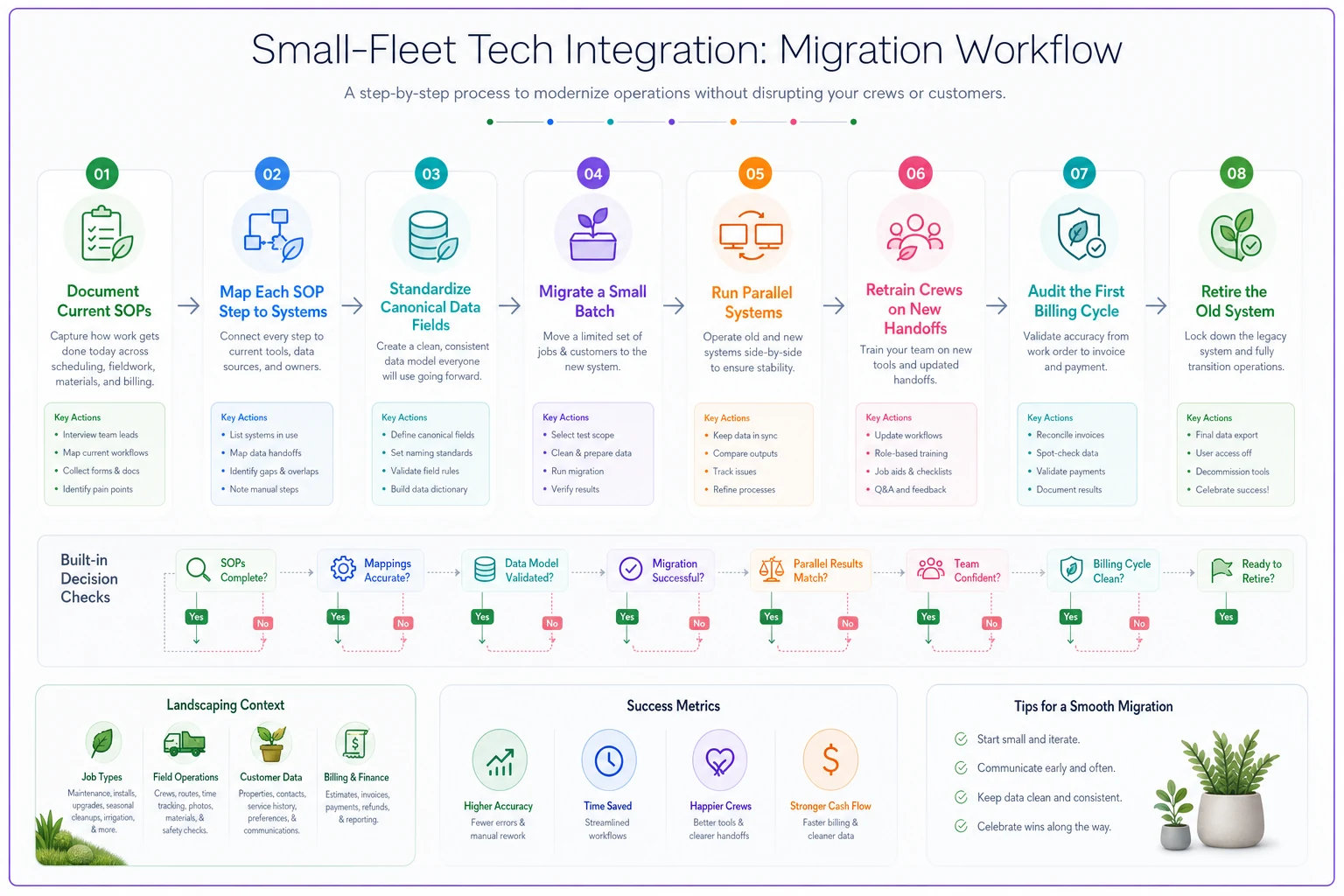
Here's the migration sequence that prevents that:
-
Document your current SOPs first — before touching any software. Write down exactly how a job flows today: who enters the client, who builds the schedule, who tells the crew, how the invoice gets made. You can't protect a process you haven't written down.
-
Map each SOP step to a system. For every step, note which tool (or person) will own it after migration. If a step has no owner in the new setup, you just found a future break point.
-
Standardize your data fields using your canonical list above. Clean the data in the old system before exporting. Fix the free-text service frequencies, split the addresses, fill the missing gate codes.
-
Migrate a small batch first — 10 to 15 properties. Run them live for a week. Watch what breaks. Do NOT migrate everything at once. Every fleet that dumps 400 records in one weekend spends the next month firefighting.
-
Run parallel for a short window. Keep the old system readable (not editable) for two to three weeks so crews can cross-check when something looks off. This is your safety net.
-
Retrain crews on the specific handoffs that changed, not the whole app. Crews don't need a software tutorial. They need to know: "The gate code is now here. Your route is now here. Report the finished job here."
-
Audit the first full billing cycle carefully. Compare what got scheduled, what got done, and what got billed for the first two weeks. This is where migration errors surface — usually as under-billing or missed visits.
-
Retire the old system only after a clean cycle. Not before.
This flow shows the safe migration sequence.
Migrate accounts with non-standard billing terms last to reduce billing errors.
The mistake that wrecks these projects is skipping step 1. People jump straight to "which app" and never document how work actually flows today. Then the new system enforces a workflow nobody agreed to, crews route around it, and within a month you've got shadow processes everywhere. Migration is a workflow project wearing a software costume.
A real scenario: the biweekly billing leak
A six-truck maintenance-focused operation switched from a spreadsheet-plus-scheduling-app setup to a more connected platform. Before the move, service frequency lived as free text in the spreadsheet — things like "2wk," "biweekly," "every other Thurs." During a rushed migration, roughly 40 of their 220 recurring accounts got imported with the frequency field mismatched or blank.
For about six weeks, a chunk of those accounts were serviced on the correct schedule but billed on the wrong one — some billed weekly for biweekly service, some the reverse. The net effect landed somewhere in the $2,500–$3,500 range in billing errors, split between angry over-billed clients and quietly under-billed ones they never recovered.
The fix wasn't the software. It was going back and doing what should've happened up front: standardizing the frequency field into structured values, migrating a test batch, and auditing the first billing cycle. Once they re-migrated with clean fields and a proper parallel-run window, the leak stopped. What made the difference was treating the data as the project, not the app.
Where field quality and integration meet
One thing that quietly determines whether your integration holds up: whether crews actually feed clean data back into the system from the field. A connected stack is only as good as what gets entered on-site. If your crews aren't reliably logging completed work, flagging hazards, or noting site changes, your carefully built integrated records rot within a season.
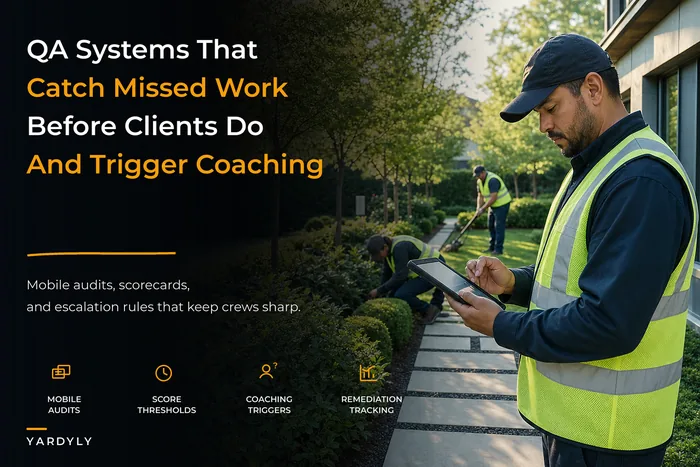
This is why a field audit habit matters more than another integration. When crews are already in the rhythm of documenting jobs — photos, condition notes, completion status — that data flows naturally into everything downstream. A solid quality assurance system with mobile field audits does double duty here: it keeps quality up and keeps your integrated records honest. The two problems are actually one problem.
Integration isn't a one-time project you finish. It's a discipline. The systems only stay connected if the people feeding them stay consistent. Which is why the SOPs matter more than the software.
Who should hold off on all of this
Not every fleet needs a roadmap right now. If you're running one or two trucks, everything works, and you can still hold the whole operation in your head — spend your energy on winning work and delivering it well. Premature integration is a real trap. You'll spend weekends maintaining connections for a problem you don't have.
The signal that it's time: when information starts getting dropped between people. When a new hire can't find the gate code. When you underbill because the schedule and reality diverged. When you catch yourself re-typing the same client info into three tools. Those are the symptoms that a roadmap solves. Before that, it's just complexity for its own sake.
The bottom of it
A landscaping tech integration roadmap isn't about buying the right stack. It's about deciding where information has to move cleanly — the truck and the money — and building the connections, data fields, and migration steps that protect those flows while leaving everything else alone. Start by mapping your real handoffs. Standardize your canonical fields before you migrate a single record. Move in small batches, run parallel, and audit the first billing cycle like your margin depends on it, because it does.
Most integration horror stories come from treating this as a software swap instead of a workflow project. Get the sequence right — document, standardize, test, migrate, audit — and your crews barely notice the change. Get it wrong, and you'll spend a season chasing errors that never should've existed. The tools are the easy part. The connections between them are where the whole business either holds together or leaks.
Ready to grow your landscaping business?
Join 2,000+ landscaping pros using Yardyly to save time, reduce task chaos, and deliver outstanding client results.