


Most landscaping companies document properties the same broken way: scattered notes across different crew members' phones, random photos buried in camera rolls, and service details that exist only in someone's memory. Then three months later, a different crew shows up with no idea where the gate code is, which plants the owner wants handled carefully, or that the aggressive dog next door jumps the fence.
The frustrating part? You've usually already collected this information. Your crew lead knows about the broken sprinkler head near the driveway. Your maintenance tech remembers which azaleas are struggling. Someone took photos of that tricky slope access point. But none of it lives anywhere the next crew can actually use it.
Why scattered property documentation kills efficiency
Property documentation fails in pretty predictable ways. Critical information gets trapped with individual crew members—when someone calls in sick or switches routes, their knowledge disappears with them. Photos become useless without context: hundreds of yard pictures that could be from anywhere, taken at any point, showing something that was apparently important. And hazard or access details get passed around through word-of-mouth warnings that never reach everyone who needs them.
A mid-sized operation running 180 residential properties can lose 12-15 hours a month just from crews trying to figure out basic property details—calling the office, texting other crew leads, or worse, guessing and hoping for the best.
The damage compounds when you factor in quality issues. Without solid property records, crews treat every visit like a first visit. They don't know the homeowner specifically asked for no blowing near the koi pond. They miss that previous crews always hand-trimmed around those heritage roses. Small mistakes pile up into lost accounts.
Building a one-page property record that actually works
After watching a lot of landscaping operations struggle with this exact problem, the fix is pretty obvious: everything about a property needs to live on one page that any crew member can open and understand in under 30 seconds. Not a folder of documents. Not a database. One page.
Never miss a job detail again.
Yardyly helps you plan, confirm, and manage every landscaping project seamlessly.
- Centralized project scheduling
- Automated client updates
- Crew and resource management
No credit card required
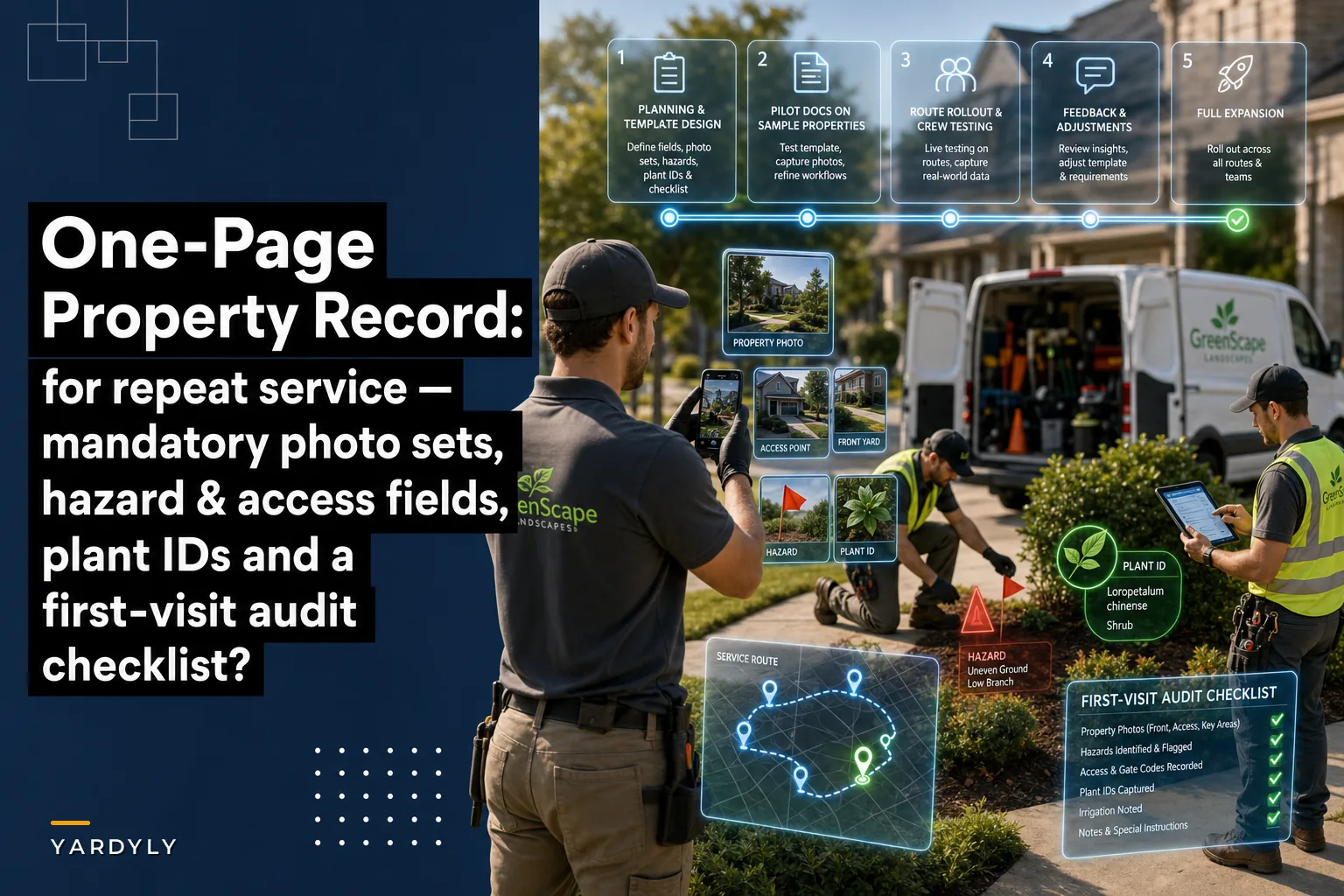
The structure matters as much as the content. Start with mandatory photo sets at the top—not random pictures, but specific angles that tell the property's story:
-
Wide shot from the street showing the full property scope
-
Primary access point (gate, side yard, wherever crews enter)
-
Any secondary access needed for equipment
-
Problem areas that need special attention
-
Unique features or owner priorities
-
Equipment storage location if applicable
Below the photos, list clearly marked hazard and access fields. Don't bury these in paragraphs—use headers and bullet points:
-
Entry point
Side gate (never use front)
-
Gate code
4821
-
Equipment path
Through side yard only
-
Parking
Street only, not driveway
-
Best service window
Before 2pm (baby naps)
-
Aggressive German Shepherd next door (west side)
-
Hidden sprinkler heads along north fence
-
Soft spot near back corner (mower can sink)
-
Low-hanging power line over shed
Each photo needs a two-sentence caption explaining what matters and why. "Side gate—code 4821, must relatch or dogs escape. Owner will cancel if this happens again."
Plant identification prevents expensive mistakes
The plant ID section needs more detail than most operations bother with. Generic labels like "flower bed—be careful" mean nothing when your crew is standing in front of 15 different plant varieties trying to figure out which ones need special handling.
Plants with specific care requirements get their own line. "Japanese maple near patio—owner's pride, hand-trim only, no power tools within 3 feet." Add a close-up photo if the plant isn't immediately obvious.
List plants to avoid disturbing entirely. Some clients have real emotional attachments—grandmother's roses, the tree they planted when their kid was born. One careless trim job can lose an account.
Note plants that are already struggling or diseased. This protects you too. "Azaleas on south side—ongoing fungal issue, owner is aware, do not trim aggressively." Nobody needs to take blame for damage that was already there.
Service exceptions that save relationships
Standard service doesn't fit every property. This section captures all those "except for this one" rules that tend to get forgotten after the first few visits.
Maybe this client wants clippings bagged, not mulched. Maybe they're particular about perfectly straight mowing lines. Some properties need a text when the crew arrives because of nervous pets. Others can't be serviced on Wednesdays due to home office calls. Seasonal variations belong here too. "No leaf blowing October through December—owner mulches intentionally." Or "Skip rose pruning in spring—owner does it herself."
These feel minor until you violate one. Then they become the reason a client calls your competitor.
The first-visit audit checklist
This is the piece most operations miss entirely: a lightweight checklist that crews complete on their very first recurring visit. Not a full inspection—just quick confirmations that your documentation actually matches what's on the ground.
-
[ ] All access codes work
-
[ ] Photo angles match current property layout
-
[ ] No new hazards since initial documentation
-
[ ] Plant IDs match what's actually there
-
[ ] Service exceptions confirmed with on-site conditions
-
[ ] Equipment can access all necessary areas
-
[ ] Parking and staging areas still available
Have the crew take a timestamped photo of the completed checklist for quick verification.
The audit does two things. It validates your documentation, sure. But more importantly, it forces new crew members to actually read and internalize the property record before they start. You can't check boxes without understanding what you're checking.
What the numbers look like
A landscaping company with 220 recurring residential properties rolled out this one-page system after struggling with the usual documentation mess. Before the change, they were averaging 3-4 property-related miscommunications every week—wrong gate codes, forgotten preferences, crew confusion about where to go.
| Outcome |
|---|
| Miscommunication incidents dropped to less than one per week |
| Average time spent per property dropped by around 8 minutes |
| Zero lost accounts from service errors, down from 2-3 per month |
| New crew members became route-independent noticeably faster |
The time investment was about 15 minutes per property upfront. Updates average 2-3 minutes. Compare that to the hours of callbacks and damage control that come with no documentation at all.
Common documentation mistakes
Overcomplicating it kills adoption. Multi-page profiles with endless fields that nobody fills out completely, or elaborate digital systems crews can't access in the field—both fail. One page, accessible offline, printable if needed.
Treating documentation as a one-time task also doesn't work. Properties change. Gates get new codes. Plants die and get replaced. New hazards pop up. Build in quarterly update reminders, or let crews flag updates directly from the field.
Vague language is useless. "Be careful near the garden" helps nobody. "Hand-trim only within 2 feet of raised vegetable beds—owner grows competition tomatoes" gives crews something to work with.
And don't make photos optional. Written descriptions alone can't capture spatial relationships or help crews quickly identify specific areas. Every property needs those core photo angles.
When this system makes sense
This approach works best for recurring residential maintenance with rotating crews. If you're running 50+ properties where different people might show up on any given week, this becomes pretty essential. Operations running consistent routes with experienced crews will still see gains but might not need the full setup right away.
For one-time jobs or commercial properties with a manager on-site, this level of detail is probably overkill. Commercial properties tend to have fewer variables and clearer boundaries. Where it really earns its keep is crew transitions. When experienced employees leave, their knowledge doesn't walk out with them. New hires get productive faster. Seasonal workers can jump between routes without constant hand-holding.
Technology and physical backups
Printed sheets in a route binder work fine. But digital integration multiplies the value—a shared drive with searchable PDFs lets office staff pull up property details instantly during client calls, and field service software can attach records directly to work orders.
Some operational platforms now use AI automation to help maintain these records without as much manual effort. Photo uploads get tagged automatically. Service notes get parsed and routed to the right sections. Hazard reports from crews update the master record in real time. The goal isn't eliminating human verification—it's reducing the tedious work of keeping documentation current so crews are actually working from accurate information.
Even with digital tools, keep physical backups. Tablets die. Cell service drops. Printed records in each truck mean crews always have what they need.
A rollout timeline that actually works
Don't try to document every property at once. Start with the most complex or problematic ones—the properties where miscommunication costs you the most time.
-
Week 1–2 Build your templates and train office staff on the documentation standard. Lock in your photo requirements and field structure.
-
Week 3–4 Document your 10 most challenging properties as a pilot. Test the one-page format with actual crews. Adjust based on what they reference versus what they ignore.
-
Week 5–8 Roll out to one full route. Let that crew work with it for a complete service cycle and gather honest feedback on what's missing or unnecessary.
-
Week 9–12 Expand to remaining routes using what you learned. By month three you should have solid documentation for around 80% of properties, with the rest filling in as issues come up.
A visual flow makes it easier to keep stakeholders aligned during rollout.
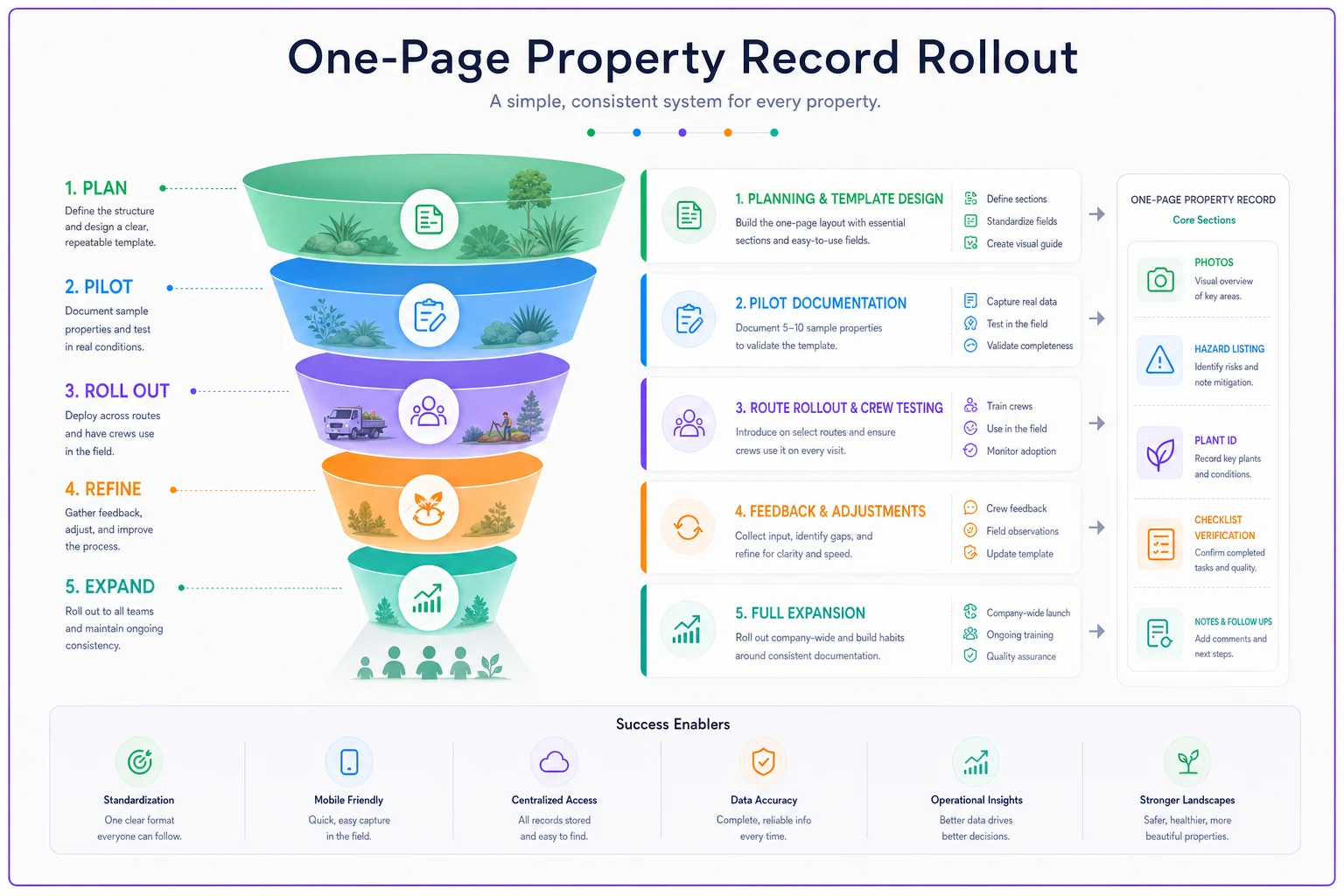
Don't rush—use the pilot to learn what crews actually use and iterate.
Layering in additional value
Once core records are established, you can build on them. Track service history directly on the record—treatments applied, problems noticed, how the property changes seasonally. This helps crews make better decisions and gives you material for upselling conversations.
Add client communication preferences. Some clients want detailed notes after every visit. Others only want to hear from you if something goes wrong. Getting this wrong in either direction is annoying to clients. Consider adding a simple priority flag—nothing detailed, just enough context so crews understand a property's significance. When someone knows they're working on a high-value recurring account, they tend to be more careful. That's just human nature.
Making it stick
The best documentation system doesn't matter if nobody uses it. Build review into your standard workflows—require crews to initial that they've read the property record before starting new routes. Make updates part of the end-of-day routine.
There's also a useful accountability distinction here: if a crew damages something clearly noted in the property record, that's a training issue. If they hit something that wasn't documented, that's a system issue. Both matter, but they need different responses.
Recognize good documentation habits when you see them. A crew member who submits a useful property update or catches something important that others missed deserves public recognition. Small rewards for that kind of attention build the culture you're after.
Property documentation feels like overhead until you calculate what it actually costs to not have it. Every confused phone call, every preventable mistake, every client who leaves because of a miscommunication—they all trace back to information that should have been written down and shared. A one-page property record solves most of these problems before they start.
The investment is small. The format is simple. And honestly, the impact on how smoothly operations run day-to-day is bigger than most owners expect until they've actually tried it.
Ready to grow your landscaping business?
Join 2,000+ landscaping pros using Yardyly to save time, reduce task chaos, and deliver outstanding client results.