

Most landscaping crews don't fall apart because the schedule was bad. They fall apart because the schedule kept changing after 6:30am, and nobody could tell you why it changed, who approved it, or whether the third override that morning actually made the day better or just moved the fire to a different truck.
That's the real problem with dispatch. Not the plan — the deviations from the plan.
A dispatcher (or an owner playing dispatcher) makes a small override. Then another. Crew B gets pulled to cover Crew A's callout. Then Crew B's own commercial account slips. Someone activates a float crew that wasn't really needed. By noon the routes are scrambled, drive time is up 40 minutes across the board, and two clients got bumped who probably shouldn't have. Nobody did anything obviously wrong. There were just no rules about who's allowed to change what, and under which conditions.
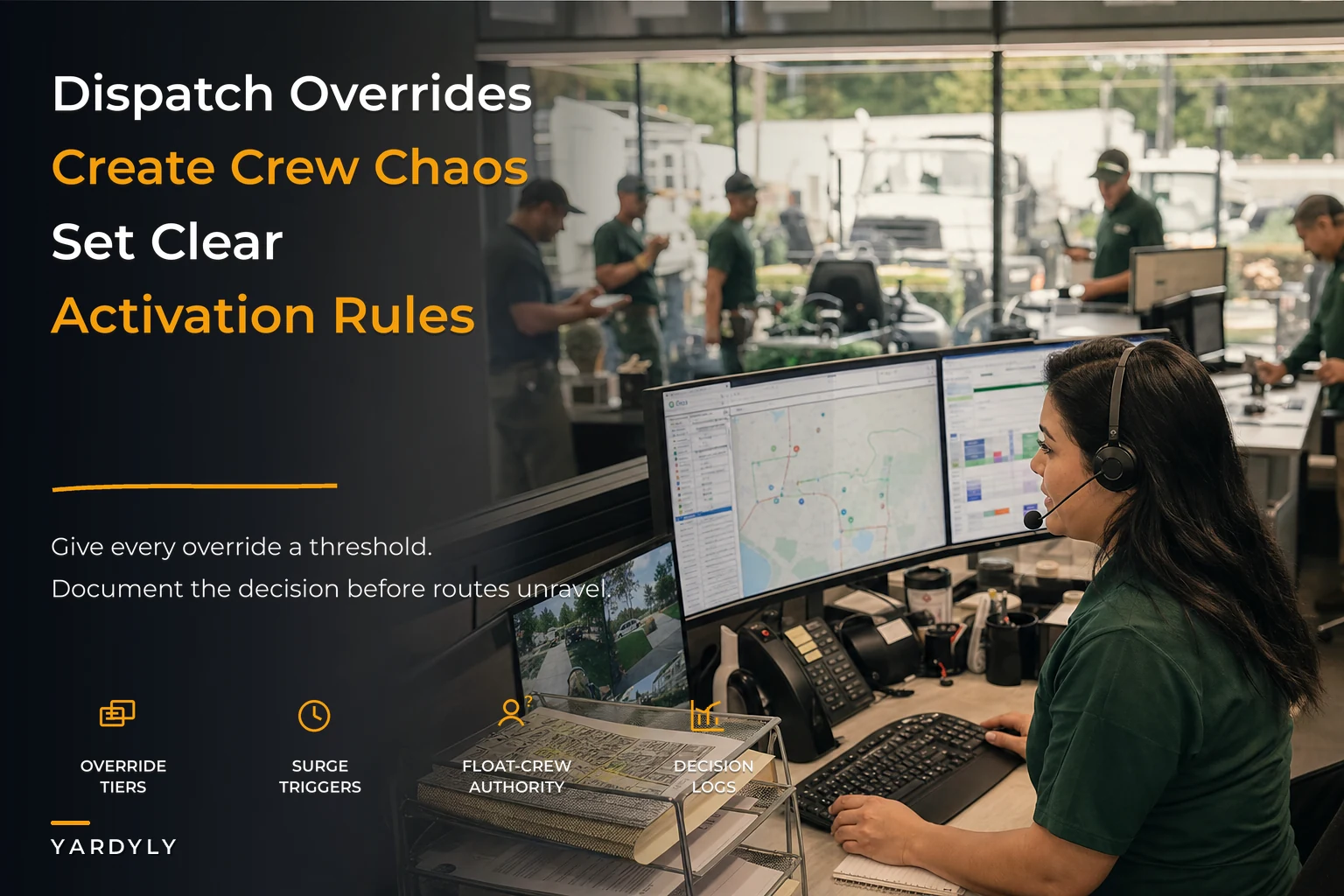
This is what a dispatch governance layer is supposed to fix. Not to remove judgment — you still need a human making calls — but to put guardrails around overrides so the day doesn't quietly unravel. Below is how to build that, with tiered override authority, float-crew activation thresholds, surge triggers, and the documentation that keeps everyone honest, all mapped to scenarios you'll actually recognize.
The pattern behind chaotic dispatch days
If you watch how override chaos actually spreads, it almost always follows the same sequence.
Something small breaks first — a no-show, a truck that won't start, a client who calls at 7:10 asking to move to the afternoon. Fine. That's normal. The issue is the response. Whoever's on the radio fixes that one thing without seeing the second-order effects. Pulling one crew member off Crew C to help Crew A sounds harmless until Crew C can't finish their two-man hedge job and gets pushed past a client's HOA quiet-hours window.
Then the override goes undocumented. It lives in someone's head or a text thread. So when the next problem hits an hour later, whoever's solving it doesn't know the first override already consumed all the slack.
And this is the part that separates a rough morning from a genuinely bad day — nobody has authority limits. A crew lead can move his own start time, sure. But should he be allowed to reassign another crew's afternoon? Should he be able to trigger a float crew, which costs real money? In a lot of small operations the answer is "whoever's yelling loudest gets to decide," and that's exactly where money leaks.
The dispatch problem usually isn't a shortage of good decisions. It's an excess of unbounded ones. Ten people are all allowed to bend the plan, none of them can see the whole board, and there's no record of what got bent.
Tiered override authority: who's allowed to change what
The single highest-leverage fix is deciding, in advance, which changes each role can make on their own — and which ones require a checkpoint. Think of it like spending authority. Nobody blinks at this for money (a crew lead can't approve a $4,000 purchase), but the same logic almost never gets applied to schedule changes, even though a bad reassignment can cost just as much.
Never miss a job detail again.
Yardyly helps you plan, confirm, and manage every landscaping project seamlessly.
- Centralized project scheduling
- Automated client updates
- Crew and resource management
No credit card required
| Tier | Type of change | Who can approve | Documentation required |
|---|---|---|---|
| Tier 1 | Adjust own crew's task order, minor start-time shift (<30 min), swap sequence of same-day stops | Crew lead | Note in daily log, no approval needed |
| Tier 2 | Move a stop to another day, extend a job past its window, skip a low-priority add-on | Dispatcher | Logged + client notified |
| Tier 3 | Reassign a person or job between crews, change a commercial account's service time | Dispatcher + ops lead sign-off | Logged + reason code + impact note |
| Tier 4 | Activate a float crew, authorize overtime, bump a contracted client entirely | Owner / ops manager only | Logged + cost estimate + follow-up flag |
The point isn't the exact lines — you'll adjust those based on your team. The point is that a Tier 4 decision, which has real cost, can never be made casually by whoever happens to be on the phone. And a Tier 1 change should never clog up the owner's morning.
One mistake owners make here: setting the tiers too tight. If a crew lead needs permission to shift his start time by ten minutes, people will just stop asking and do it silently — and now you've lost the visibility you were trying to gain. Tier 1 should be genuinely loose so the whole system stays trustworthy.
Make Tier 1 loose enough that crew leads actually use it instead of bypassing the system.
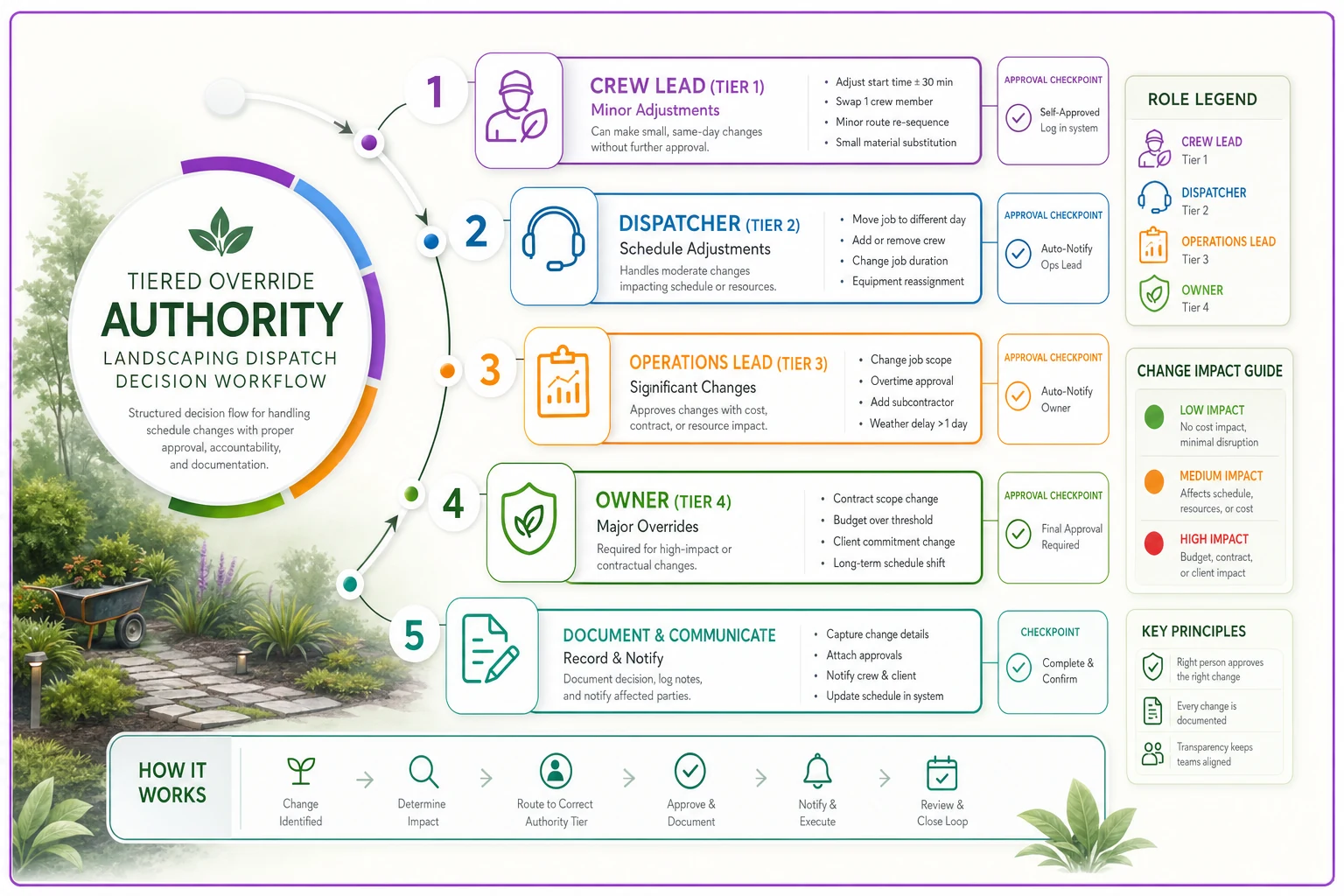
A quick visual to map who decides what and where sign-offs happen.
Float-crew activation thresholds
The float crew is where money quietly disappears. A two-person float crew sitting on standby, or pulled together from other jobs, can easily cost a couple hundred dollars in labor and lost productivity before it does a dollar of billable work. Activating one shouldn't be a gut call — it should hit a threshold.
Some triggers that make float activation worth it:
-
Same-day capacity gap of 3+ hours that can't be absorbed by shifting stops within existing routes
-
A callout on a crew with a same-day commercial SLA that carries a penalty or a real relationship risk
-
Two or more crews running 45+ minutes behind by mid-morning, where the delay is compounding rather than recovering
-
A high-value install at a critical milestone (concrete pour, plant delivery already on site, equipment rental on the clock) where slipping a day cascades into rework or extra rental fees
And just as important — when not to activate:
-
A single residential mow got bumped and the client is flexible
-
The gap is under two hours and can be closed by tightening a route
-
It's late afternoon and the float crew wouldn't finish before dark anyway
The reason to write these down is that in the heat of a bad morning, everything feels like a threshold event. Having the actual criteria on paper is what stops you from spinning up a float crew for a problem that a twenty-minute reshuffle would've solved. This ties directly into how you handle sudden gaps — the logic overlaps heavily with a solid same-day crew cancellation triage process, which should be the first thing you reach for before you even consider paying for float coverage.
Surge triggers: planning for the predictable overload days
Some days aren't chaotic because something broke. They're chaotic because demand exceeds capacity — the first dry stretch after a week of rain, the spring cleanup rush, the Friday before a long weekend when everyone wants their property looking good.
These are surge days, and they need their own rules because normal dispatch logic assumes you can serve everyone. On a surge day you can't, so the real question is who gets served first and who gets moved.
A surge trigger is any signal that tips you into surge-mode operations. Common ones:
-
Booking volume exceeds available crew-hours by more than 15% for a given day
-
Weather-driven backlog — three or more rained-out days clearing at once
-
Seasonal peak windows you already know are coming (define these on the calendar in advance)
-
A large commercial job consuming a crew that would normally handle overflow
Once a surge trigger fires, you switch to a pre-defined priority order instead of first-come-first-served. A workable priority stack looks like:
-
Contracted commercial accounts with SLAs
-
Recurring maintenance clients on tight cycles (overgrown turf that becomes a two-visit problem if skipped)
-
Time-sensitive installs
-
Flexible residential one-offs (these are the ones you move)
Surge days are where your routing discipline pays off or fails you. If your normal days already have loose clustering and sloppy departure timing, a surge day turns into a demolition derby. Tightening the fundamentals with something like manual route optimization built on clustering and time-window batching gives you the slack you'll desperately need when volume spikes. You can't create capacity on a surge day, but you can stop wasting what you have.
Documentation: the part everyone skips that makes all of it work
Every override rule above is worthless if the changes aren't recorded. And not a detailed report — just a lightweight, consistent log that answers four questions for every override:
-
What changed (job, crew, or timing)
-
Why (reason code
callout, weather, client request, equipment, capacity)
-
Who approved it (tied to the tier)
-
What it cost or risked (rough impact, even just "pushed 2 residential to Thursday")
Without documentation, you can never tell whether your override decisions are actually good. You'll remember the day you saved a big account with a smart float activation. You'll completely forget the six days you spun up float crews for problems that didn't need them. The log is what lets you look back monthly and see the pattern — that 70% of your Tier 4 activations happened between 6:30 and 7:30am, before crews had even confirmed they were rolling, which tells you your morning confirmation cadence is the real problem, not your dispatch.
Reason codes are the underrated piece. When every override is tagged with a standardized reason, you stop guessing. If "client request" is driving a third of your reshuffles, that's a scheduling-conversation problem. If "equipment" keeps showing up, your override chaos is really a maintenance issue wearing a dispatch costume.
A real scenario: the morning that used to eat itself
Picture a five-crew operation running mostly residential maintenance with a handful of commercial accounts. Before any of this was in place, a typical rough morning went like this: a crew member calls out at 6:45, the owner pulls a guy from another crew to cover, that crew now runs slow, a commercial client calls annoyed by 10am, the owner spins up a two-person float crew from guys who were "almost done" with their own route, and by end of day two crews are finishing after 7pm on overtime.
Tracking it loosely over a season, days like that were costing somewhere in the range of $250–$400 each in overtime and float labor, plus the softer cost of bumped clients — and they were having three or four of them a month during peak.
After setting tier rules, a float-activation threshold, and a bare-bones override log, no single day looked dramatically different. The bad days just got less bad. Float crews got activated maybe half as often because most gaps turned out to be Tier 2 reshuffles. Overtime on chaotic days dropped by roughly a third. And the biggest shift was quieter: the owner stopped being the bottleneck for every small decision, because crew leads finally knew which calls were theirs to make.
Nothing magic. They just stopped letting ten people bend the plan in the dark.
Where this connects to the rest of your operation
Dispatch governance isn't a standalone system. It sits on top of your scheduling, and it only works as well as the plan underneath it. If your base schedule already stacks jobs poorly, no override policy will save you — you'll just be governing chaos more neatly. Getting the underlying plan right with proper travel buffers and realistic job pairing matters as much as the override rules themselves; the logic in scheduling overlapping jobs with a job-pairing matrix and travel buffers is basically the foundation this whole governance layer stands on.
As you grow, the coordination problem gets worse faster than the crew count. Two crews can be managed by one person shouting across a yard. Five crews can't. The number of possible override interactions grows non-linearly, which is exactly why "just use good judgment" stops working somewhere around crew three or four. Governance keeps judgment scalable — you're not replacing the dispatcher's brain, you're keeping it from having to re-decide the same low-stakes questions forty times a morning.
This is also where the right operational software earns its place. When override tiers, reason codes, and float thresholds live inside the same system that holds your schedule, the logging happens as a byproduct of the workflow instead of as a separate chore nobody keeps up with. The value isn't automation for its own sake — it's that the documentation actually gets done, and the monthly patterns become visible without anyone building a spreadsheet at 9pm.
When strict dispatch governance is worth it — and when it isn't
When it makes sense: You're running three or more crews, your mornings routinely require changes, and you can't personally see every decision anymore. If overrides are happening and you can't reconstruct why after the fact, you need this yesterday.
When it's overkill: One or two crews where the owner is on-site and sees everything. Adding four tiers of override authority to a two-truck operation just creates paperwork. Keep a simple log and move on.
Who should be careful: Operations mid-growth, going from two crews to five. That's the danger zone — big enough that informal coordination fails, small enough that people resist "process." Introduce the tiers loosely, prove they reduce morning friction, then tighten. Drop a rigid governance framework on a crew that's used to freewheeling and they'll route around it, leaving you with the worst of both worlds: rules on paper and chaos in practice.
The whole goal here is boring, in the best way. A day where the plan holds, deviations are deliberate and recorded, and nobody's inventing decisions on the fly. Dispatch disasters almost never come from one catastrophic mistake — they come from a dozen reasonable-sounding overrides that nobody was tracking. Put the guardrails in, keep them light where they can be light, and let the log tell you where the real problems actually live.
The whole goal here is boring, in the best way. A day where the plan holds, deviations are deliberate and recorded, and nobody's inventing decisions on the fly. Dispatch disasters almost never come from one catastrophic mistake — they come from a dozen reasonable-sounding overrides that nobody was tracking. Put the guardrails in, keep them light where they can be light, and let the log tell you where the real problems actually live.
Ready to grow your landscaping business?
Join 2,000+ landscaping pros using Yardyly to save time, reduce task chaos, and deliver outstanding client results.