

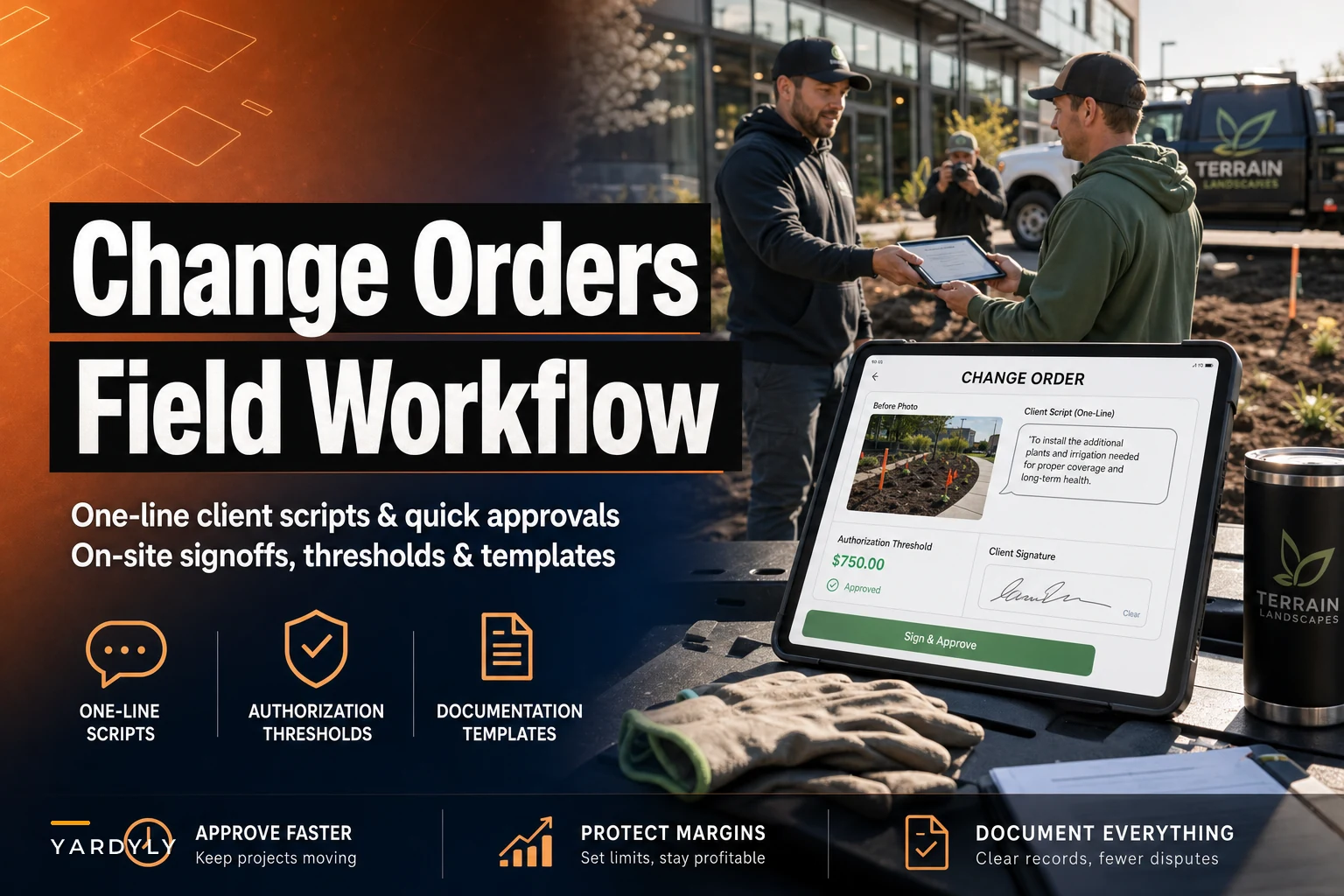

The most expensive words in landscaping aren't "we lost the bid." They're "but I thought that was included."
That phrase shows up weeks after the work is done, usually in an email, usually attached to an invoice the client is refusing to pay in full. By then the crew is three jobs away, the photos are gone, nobody remembers who said what, and you're eating the cost just to keep the relationship from going sideways on Google reviews.
The frustrating part is that almost every scope dispute gets decided on-site, in the first ten minutes someone notices the extra work. That's the window. The crew is standing right there with the client. The problem is visible. Nobody has emotions about money yet. And in most operations, that window gets wasted because the foreman doesn't have a clean, fast way to say "this is extra, here's what it costs, are we good?"
This post is about building that exact moment into a repeatable landscape change order workflow — the one-liners your crew actually says out loud, the dollar thresholds that decide who can approve what, and the field documentation that makes a dispute almost impossible to win against you.
Why change orders fall apart in the field (and it's not laziness)
Walk through a typical scenario. A two-person crew shows up to install 40 feet of edging and lay mulch in a bed. When they start digging, they hit a buried irrigation line nobody flagged, plus the bed is clearly bigger than the estimate assumed — more like 55 feet. That's real extra labor and extra material.
Here's what usually happens next: the lead guy makes a judgment call. Either he quietly does the extra work (eating 45 minutes and a few bags of mulch to "keep the client happy") or he stops, calls the office, gets voicemail, and stands around burning daylight. Neither option captures the change properly.
The reason this keeps happening isn't that crews don't care. It's that nobody ever gave them:
-
A script so they don't feel like they're shaking the client down for money
-
A threshold so they know whether they're even allowed to approve it
-
A template so documenting it takes 90 seconds, not a phone call
When those three things are missing, the field defaults to the path of least resistance, which is almost always "just do it and sort it out later." And "later" is where margin goes to die.
The core idea: decide the change where the change happens
The whole workflow rests on one principle. A scope change is cheapest to resolve at the moment of discovery and gets more expensive by the hour after that.
Never miss a job detail again.
Yardyly helps you plan, confirm, and manage every landscaping project seamlessly.
- Centralized project scheduling
- Automated client updates
- Crew and resource management
No credit card required
At discovery, you have leverage you'll never get back:
-
The condition is visible — the client can literally see the oversized bed or the exposed root ball.
-
The crew is already mobilized, so the client's alternative is "reschedule and pay a trip charge."
-
There's no invoice on the table yet, so the conversation is about work, not about a bill they already received.
Lose that moment and you're negotiating from a photo on your phone two weeks later while the client's defenses are up. So the entire design below is built to force the decision while boots are still on the grass.
Authorization thresholds: who can say yes to what
Before any scripts matter, your crew needs to know their lane. The single biggest cause of stalled jobs is a foreman who hits an extra and has no idea if he's allowed to greenlight it. So he calls. Or worse, he guesses.
| Change value | Who approves | What the crew does on-site |
|---|---|---|
| Under $75 (minor material/time) | Crew lead, no call needed | Note it, get verbal OK, log it, keep working |
| $75–$400 | Crew lead gets client sign-off, texts office before starting | Use the full script + photo + signature |
| Over $400, or anything structural/irrigation/drainage | Office/owner must approve first | Stop that portion, document, call in, continue other work |
The point of the under-$75 band is speed. If a foreman has to phone home every time a bed runs ten feet long, you've built a system nobody will use. Give him real authority on small stuff and he'll actually follow the process on the big stuff.
The over-$400 and "structural" line exists because some changes carry risk a crew lead can't price on the fly — hitting a gas line, a drainage issue that becomes a liability, a retaining situation. Those always come back to the office.
One thing worth noting: operations that set the bottom threshold too low (say, $25) end up with crews ignoring the whole system because it feels like bureaucracy for pocket change. Err on the side of giving the lead more room, not less.
The one-line scripts your crew will actually use
Crews won't deliver a paragraph. They'll deliver a sentence, maybe two, if it feels natural and doesn't make them sound like they're upselling. The goal is to make the extra feel like a normal, matter-of-fact part of doing the job right.
Here are field-tested framings for the most common situations. Notice they all do the same three things: name the issue, state it's outside the quote, give a clear next step.
The oversized/underestimated area: > "Hey, quick heads up — the bed's running about 15 feet longer than what was quoted. I can knock it out today, it'd be about [$X] more. Want me to go ahead?"
The hidden condition (roots, rock, old concrete, irrigation line): > "We hit an old irrigation line under here that wasn't on the plan. I need to [reroute/cap/work around] it before we continue — that's extra work outside the quote. Here's what it runs. Good to proceed?"
The "while we're here" client request: > "Yeah, we can definitely do that too. It's a separate add since it wasn't in today's scope — about [$X]. I'll write it up real quick so it's clear on your end."
The over-threshold stop: > "This one's bigger than I can approve on-site, so I'm going to loop in the office to get you an exact number. We'll keep moving on everything else in the meantime."
The mistake most owners make is scripting persuasion. Don't. The crew's job isn't to sell the add — it's to surface it cleanly and get a yes or no. The moment a foreman sounds like he's working a commission, the client gets suspicious and the whole dynamic sours. Flat, factual, "here's the situation" tone wins every time.
A small but real detail: train crews to say the dollar figure out loud and then stop talking. The silence is what gets the decision. People fill it with a yes or a question — either one moves you forward.
The on-site documentation template
Verbal approval saves the day on-site and loses the war in the dispute. If it's not written down with a photo and a signature, it didn't happen as far as a chargeback is concerned.
Keep the field template short enough to finish in under two minutes. It needs exactly these fields:
-
Job / client name & date
-
Original scope line affected (e.g., "mulch bed — front, 40 LF quoted")
-
Change discovered (e.g., "actual 55 LF + exposed irrigation line")
-
Reason (hidden condition / client request / measurement variance)
-
Added labor + materials (short, plain language)
-
Added price
-
Before photo (the condition that triggered the change)
-
Client approval — name + signature or a "yes, proceed" text screenshot
-
Crew lead name
Always take the before photo from the same angle you use for estimate photos.
That's it. The two fields people skip — and then regret — are the before photo and the reason. The before photo is your entire case. A time-stamped shot of a bed that's obviously bigger than 40 feet, or an exposed line in the dirt, ends almost any argument before it starts. The reason field matters because "measurement variance" and "client asked for more" are very different conversations if it ever escalates. One is arguably your estimating miss; the other is unambiguously billable.
The companion to this is photo discipline — if your field photo standards are already weak, your change orders inherit that weakness. Getting the right before shot is the same muscle as getting clean estimate photos in the first place.
A step-by-step field workflow
Here's how the whole thing runs start to finish, from the crew's point of view:
-
Spot the gap. Crew lead notices the actual condition doesn't match the work order.
-
Check the tier. Under $75? Approve it. $75–$400? Run the script + document. Over $400 or structural? Stop that portion, call the office.
-
Take the before photo immediately — before touching anything, while the gap is still visible.
-
Deliver the one-liner. Name it, price it, ask for the go-ahead.
-
Capture approval. Signature on the device or a reply text. No approval, no extra work — full stop.
-
Log the change order in the same system as the job, not on a loose paper that lives in a truck door pocket.
-
Office flags it for billing so it lands on the invoice automatically, not "if someone remembers."
Step 7 is where more money leaks than anyone wants to admit. Plenty of crews nail the on-site conversation and the signature, and then the approved add-on simply never makes it onto the final bill because it lived on a sticky note. The capture point and the billing point have to be connected, or you've done all the hard work for nothing.
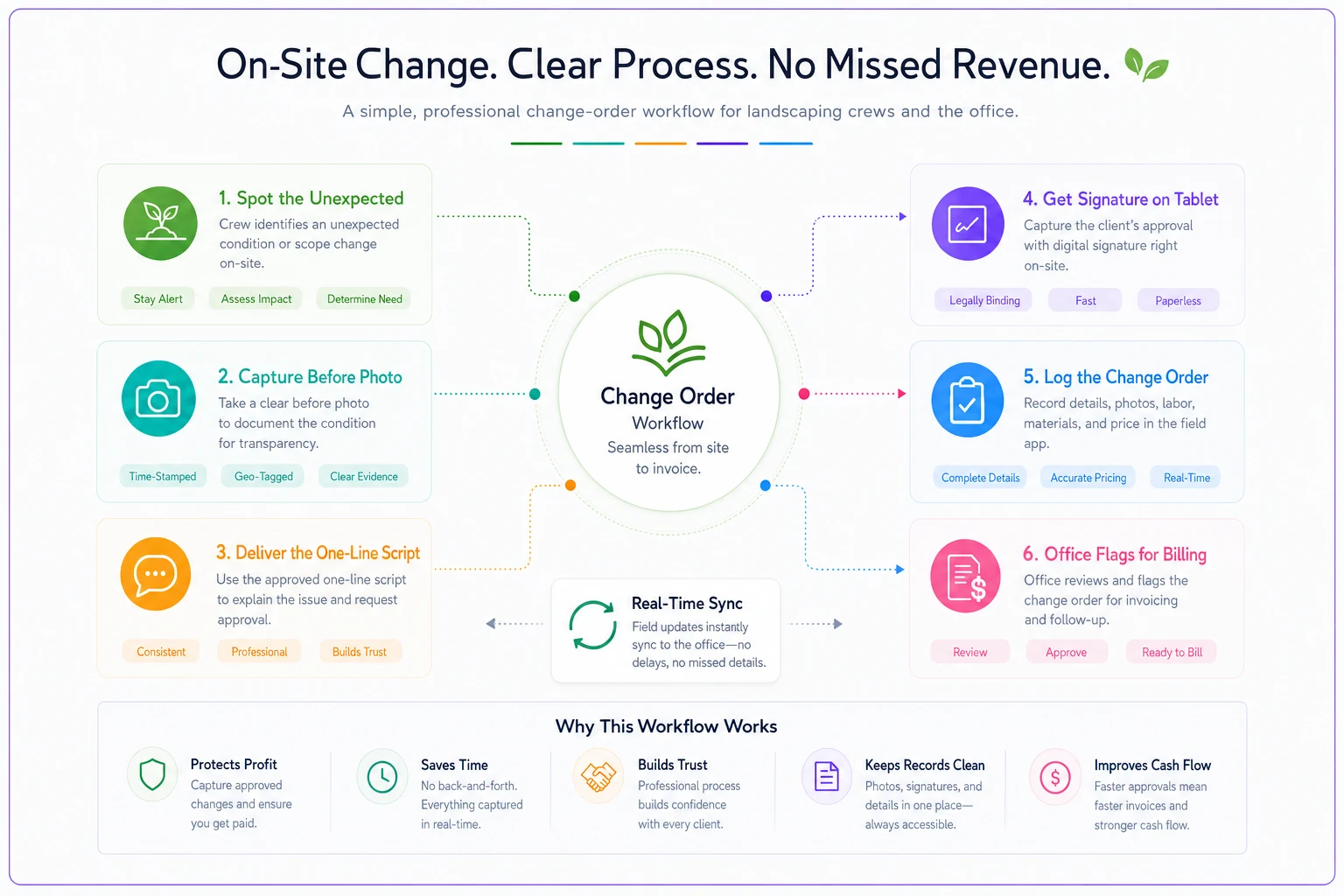
Here's a quick visual of the workflow the crew follows.
A quick real-world picture
Take a four-truck maintenance-and-install outfit doing somewhere around 20–30 jobs a week during install season. Before they had a real change-order process, foremen were handling extras informally — mostly just eating them. When the owner sat down and tried to tally un-billed field changes over a quarter, the honest estimate landed somewhere around $4k–$6k in work given away, plus two invoice disputes that cost another chunk in write-downs and one slightly bruised client relationship.
After rolling out thresholds, scripts, and a two-minute template, the change didn't look dramatic day to day. Foremen reported one or two documented change orders a week instead of silently absorbing them. Within a couple of months the recovered revenue was in the low thousands per month — not from charging clients more aggressively, just from capturing what was already legitimately extra. The quieter win was disputes: the next time a client pushed back on an invoice, the before photo and the signed approval ended the conversation in one reply.
Nothing about that is a revenue miracle. It's just stopping a slow leak.
When this workflow makes sense — and when it doesn't
When it's clearly worth it: install-heavy operations, anything involving excavation, hardscape, irrigation, or drainage, and any crew running jobs where "as-found" conditions regularly differ from the estimate. The more buried surprises your work involves, the more this pays for itself.
When it's lighter touch: pure recurring mow-and-go maintenance with tightly fixed scope sees fewer field changes. You still want the thresholds and a simple script, but you won't be writing change orders every week. For those accounts, upsell patterns matter more than dispute prevention.
Who should not over-engineer this: a solo operator or a single two-person crew where the owner is on most jobs. If you're personally present, you are the authorization threshold. Build the documentation habit — before photo, signed add — but skip the tiered approval complexity until you've got crews running without you. A three-tier approval matrix for a team of two is bureaucracy you'll end up ignoring.
Where this connects to the rest of your field data
A change-order workflow doesn't live alone. It's one more thing the crew captures in the field, right alongside hazards, plant conditions, and job notes. The operations that handle this well aren't the ones with the fanciest paperwork — they're the ones where capturing a signed change order is as routine as taking a start-of-job photo, and where that capture flows straight into billing without re-entry.
If your field data already gets captured cleanly — photos tagged, job records tied to the property, approvals logged on the device — adding change orders is a small extension of habits the crew already has. If it doesn't, the change-order problem is really a symptom of a looser field-capture problem, and it's worth fixing the foundation first.
The bottom of it
Scope disputes feel like conflict problems, so owners try to solve them with better contracts and firmer emails after the fact. But the real fix happens 50 feet from a truck, in the first few minutes a foreman notices something's off. Give that foreman three things — a number he's allowed to approve, a sentence he's comfortable saying, and a template he can finish before the client walks back inside — and most of your disputes never get the chance to become disputes.
Decide the change where the change happens. Everything else is just cleanup.
Scope disputes feel like conflict problems, so owners try to solve them with better contracts and firmer emails after the fact. But the real fix happens 50 feet from a truck, in the first few minutes a foreman notices something's off. Give that foreman three things — a number he's allowed to approve, a sentence he's comfortable saying, and a template he can finish before the client walks back inside — and most of your disputes never get the chance to become disputes.
Decide the change where the change happens. Everything else is just cleanup.
Ready to grow your landscaping business?
Join 2,000+ landscaping pros using Yardyly to save time, reduce task chaos, and deliver outstanding client results.